


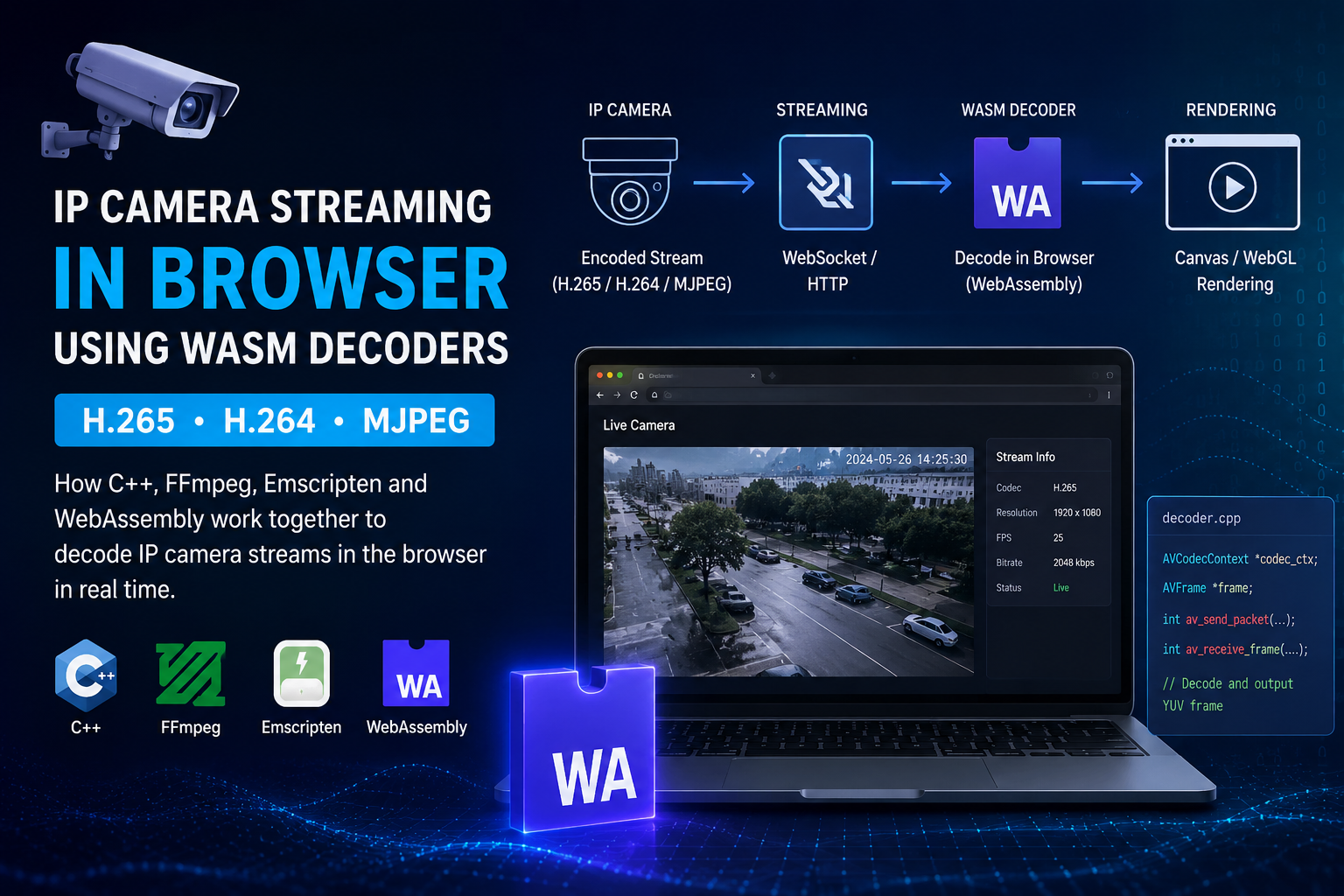
How IP Camera Streams Work in Browsers Using WASM Decoders
Modern IP cameras usually stream video using codecs like H.265 (HEVC), H.264 (AVC), and MJPEG. The main challenge is that browsers do not support every codec natively, especially H.265. Because of this, developers need a custom decoding solution to play camera streams directly inside the browser.
Browser Codec Support Problem
Most browsers can handle:
- H.264 in many cases
- MJPEG streams in limited scenarios
But H.265 / HEVC support is still limited across browsers and operating systems. This creates problems when building browser-based CCTV or live monitoring dashboards.
The Solution — WASM Decoder
To solve this issue, developers use a WASM (WebAssembly) decoder.
WebAssembly allows native C/C++ decoding code to run directly inside the browser at near-native performance. This makes it possible to decode unsupported video codecs such as H.265 in real time.
Writing the Decoder in C++
The decoding logic is usually written in C++ because video decoding requires high performance and low-level memory handling.
The decoder typically includes:
- AV packet parsing
- Video frame decoding
- YUV frame extraction
- Buffer management
- Multithreading
- Stream synchronization
Most projects use FFmpeg libraries internally for decoding operations.
Using FFmpeg for Video Decoding
FFmpeg is one of the most widely used multimedia frameworks for handling video and audio streams.
It provides libraries for:
- H.264 decoding
- H.265 decoding
- MJPEG decoding
- Stream parsing
- Pixel format conversion
Common FFmpeg libraries used in WASM decoders include:
libavcodeclibavformatlibswscale
Compiling with EMSDK and Emscripten
Browsers cannot execute raw C++ code directly. To run the decoder inside the browser, the C++ source must be compiled into WebAssembly using:
- EMSDK
- Emscripten
Emscripten converts C/C++ code into .wasm files that browsers can execute.
Building the WASM Decoder
During compilation, FFmpeg libraries are enabled and linked with the decoder source code.
The build process usually uses the emcc compiler:
emcc decoder.cpp -o decoder.js
This generates:
- A
.wasmbinary file - A JavaScript loader file
These files are then loaded inside the browser application.
How the Browser Playback Works
The overall streaming pipeline looks like this:
IP Camera Stream
        ↓
WebSocket / HTTP Stream
        ↓
WASM Decoder
        ↓
Decoded Raw Frames
        ↓
Canvas / WebGL Rendering
The browser receives encoded video packets from the IP camera, passes them into the WASM decoder, and renders the decoded frames onto a canvas or WebGL surface.
Real-Time Streaming Workflow
In live surveillance systems:
- The camera sends encoded video packets
- The browser receives the stream using WebSocket or HTTP
- The WASM decoder processes the packets
- Decoded frames are rendered in real time
This approach allows high-resolution streams to run smoothly even when the browser does not natively support the codec.
Why H.265 Matters
H.265 is important because it provides:
- Better compression
- Lower bandwidth usage
- Higher video quality
- Efficient high-resolution streaming
However, because browser support is limited, WASM-based decoding becomes essential for modern CCTV dashboards and browser-based monitoring systems.
Final Thoughts
WASM decoders have become an important part of modern browser-based video streaming systems. By combining:
- C++
- FFmpeg
- EMSDK
- Emscripten
- WebAssembly
developers can build powerful custom video decoders capable of playing H.264, H.265, and MJPEG streams directly in the browser.
This technology is widely used in advanced CCTV dashboards, surveillance platforms, and real-time monitoring applications where low latency and high performance are critical.